

A messaging API is a set of tools that lets developers add messaging features—like SMS, chat, and push notifications—directly into their apps and software. It handles message delivery, routing, and tracking through simple code, so businesses can communicate with customers in real time without building the infrastructure themselves.
Sending a text message sounds simple. But behind every appointment reminder, two-factor authentication code, and order confirmation is a complex system working to deliver that message reliably and instantly. For developers and businesses, building that system from scratch isn’t practical—and that’s where messaging APIs come in.
A messaging API connects your application to messaging networks, letting you send and receive messages programmatically. Whether you’re notifying a customer that their package shipped or running a full omnichannel support desk, the right API does the heavy lifting behind the scenes.
This guide breaks down how messaging APIs work, the types available, and what to look for when choosing one. By the end, you’ll understand the key features that separate a basic tool from a robust, scalable solution—and how to pick the right fit for your project.
What is a messaging API and how does it work?
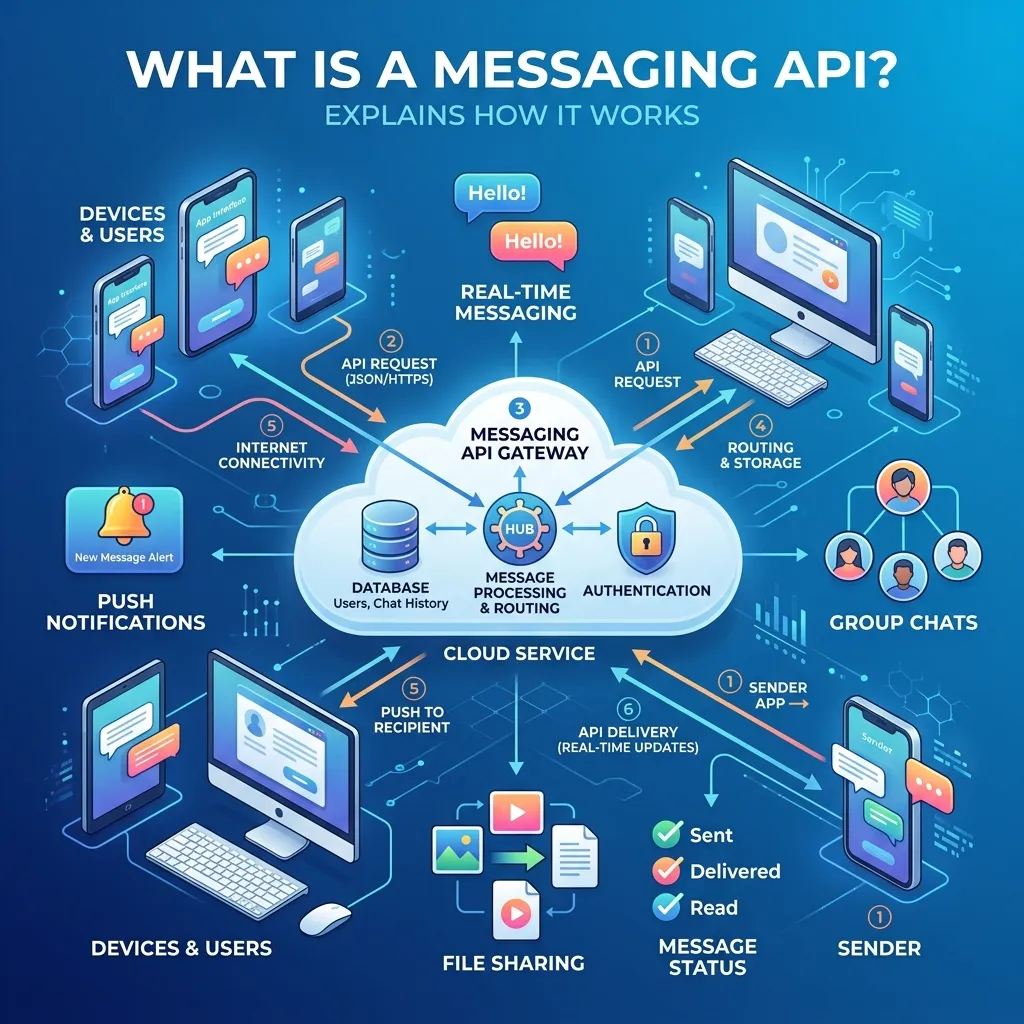
An API, or application programming interface, is a way for two pieces of software to talk to each other. A messaging API specifically handles the sending, receiving, and management of messages between an application and a messaging channel like SMS, WhatsApp, or in-app chat.
Here’s the basic flow. Your application sends a request to the messaging API—usually through a simple line of code. The API processes that request, routes the message through the appropriate carrier or channel, and delivers it to the recipient. It then sends back a status update, telling your app whether the message was delivered, failed, or is still pending.
Most modern messaging APIs use REST (Representational State Transfer) architecture. A REST API for messaging platforms communicates over standard HTTP requests, which makes it easy to integrate with almost any programming language—Python, Java, Node.js, PHP, and more. Developers appreciate this because it means less time wrestling with proprietary protocols and more time building features.
What are the main types of messaging APIs?
Not all messaging APIs serve the same purpose. The type you choose depends on how you want to reach your audience and what kind of communication your app requires.
SMS messaging API integration
SMS remains one of the most reliable ways to reach customers. Text messages have famously high open rates, and they don’t require an internet connection or a specific app. An SMS messaging API integration lets you send text messages directly from your software—perfect for verification codes, alerts, and reminders.
The strength of SMS lies in its universality. Nearly every mobile phone can receive a text, which makes it ideal for reaching a broad audience quickly.
Cloud messaging API for developers
A cloud messaging API for developers runs entirely on remote servers, meaning you don’t have to maintain physical hardware or worry about scaling infrastructure. The provider manages the servers, security updates, and uptime. You simply send requests and receive responses.
This setup is especially useful for development teams that want to move fast. Instead of provisioning servers and managing carrier relationships, developers can focus on writing application logic.
Omnichannel messaging API platform
Customers don’t stick to one channel. They might start a conversation on SMS, switch to WhatsApp, and follow up through in-app chat. An omnichannel messaging API platform unifies these channels into a single interface, so you can manage every conversation from one place.
This approach matters because fragmented communication frustrates customers. When a support agent can see the full conversation history across channels, the experience feels seamless rather than disjointed.
Why do businesses use messaging APIs?
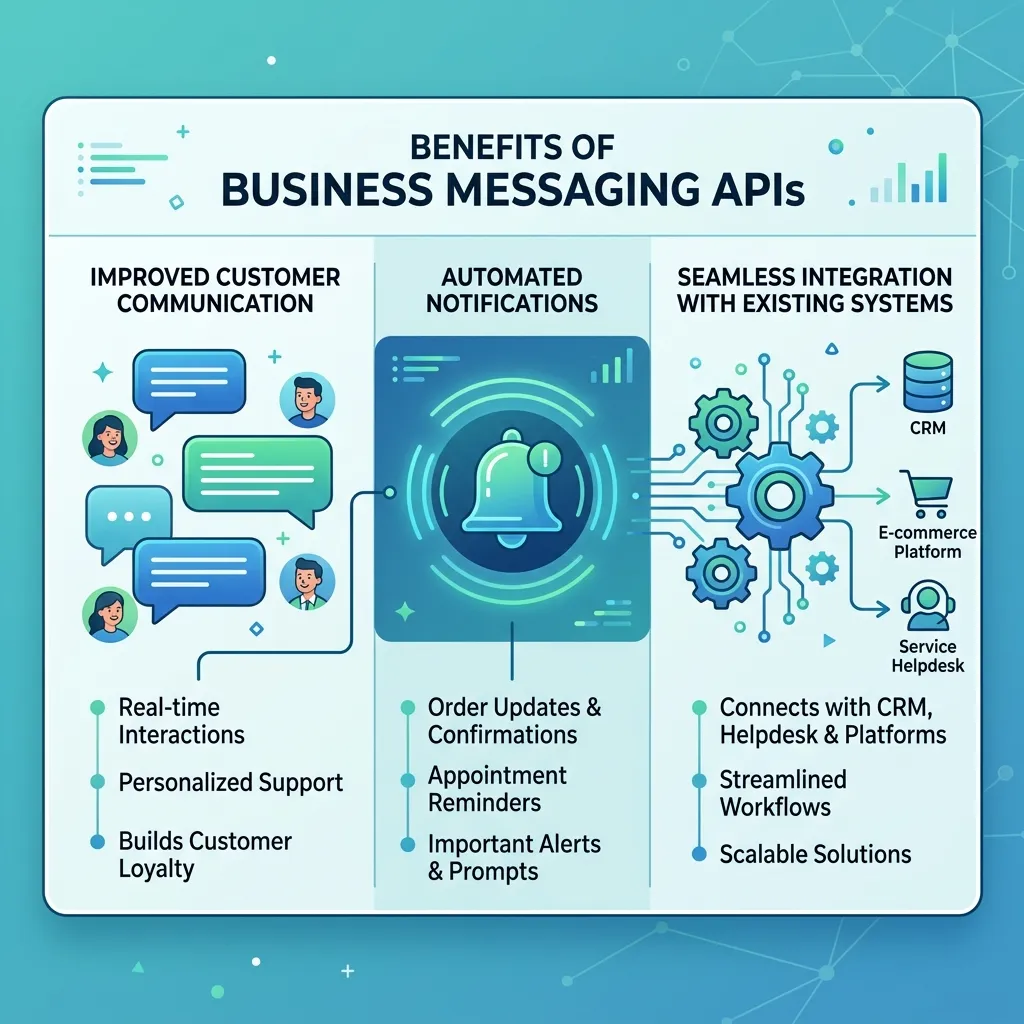
Messaging APIs solve a fundamental problem: how to communicate with customers at scale, instantly, and reliably. A business messaging API solution lets companies automate routine communication while keeping it personal and timely.
Consider a few practical examples:
- Authentication: Sending one-time passcodes for two-factor authentication to verify user identity.
- Notifications: Alerting customers about shipping updates, appointment reminders, or account activity.
- Marketing: Delivering promotional offers and updates to opted-in subscribers.
- Customer support: Powering live chat and automated responses to handle inquiries.
A messaging API for customer communication turns these tasks from manual chores into automated, scalable processes. Instead of staff sending messages one by one, the system handles thousands—or millions—without breaking a sweat.
What features should you look for in a messaging API provider?
Choosing a messaging API is a long-term decision. Switching providers later can be costly and disruptive, so it’s worth evaluating your options carefully upfront.
Real-time messaging and delivery tracking
Speed matters. A real-time messaging API service delivers messages instantly and reports their status the moment something changes. Delivery receipts tell you whether a message reached its destination, which is critical for time-sensitive communications like verification codes.
Without real-time tracking, you’re sending messages blindly. With it, you can retry failed deliveries, troubleshoot issues, and prove that important messages were received.
Scalability for growing demand
Your messaging needs today may look nothing like your needs a year from now. A scalable messaging API provider handles spikes in volume—think a flash sale or a viral moment—without slowing down or dropping messages.
Choose a scalable provider if you expect growth or unpredictable traffic. Cloud-based platforms typically scale automatically, allocating more resources as demand rises so you never hit a hard ceiling.
Security and compliance
Messages often contain sensitive information—passcodes, personal details, account data. A secure messaging API for apps protects that data with encryption in transit and at rest. Look for providers that comply with relevant regulations like GDPR, HIPAA, or TCPA, depending on your industry and region.
Security isn’t optional. A breach can damage customer trust and expose your business to legal risk, so prioritize providers with strong, documented security practices.
Automation and programmability
A programmable messaging API for automation lets you build sophisticated workflows. You can trigger messages based on events—a customer abandons a cart, a payment fails, a subscription is about to renew—without manual intervention.
This programmability is where messaging APIs truly shine. By connecting your messaging logic to your business events, you create responsive, automated communication that feels timely and relevant.
How do you integrate a messaging API into your app?
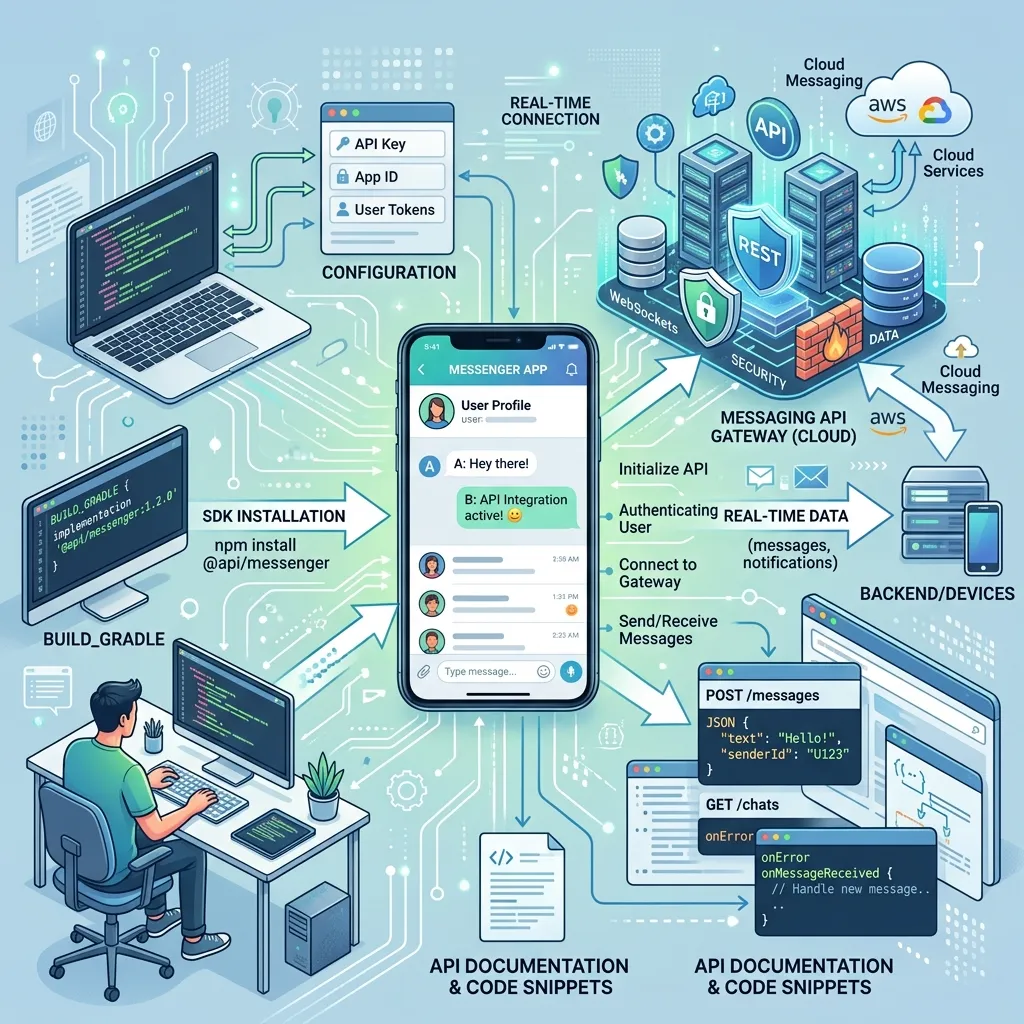
Integration is usually straightforward, though the exact steps depend on the provider. Here’s a general roadmap.
- Sign up and get your API key. Most providers issue a unique key that authenticates your requests.
- Read the documentation. Good documentation includes code samples, endpoint references, and tutorials for common languages.
- Make a test request. Send a sample message in a sandbox environment to confirm everything works before going live.
- Handle responses and errors. Build logic to interpret status codes, retry failed messages, and log delivery data.
- Go live and monitor. Deploy your integration and keep an eye on delivery rates and error logs to catch issues early.
The best providers offer SDKs (software development kits) for popular languages, which package common functions into ready-to-use libraries. This cuts down development time considerably.
How to choose the right messaging API for your project
The right choice depends on your specific needs. Here are some conditional recommendations to guide you:
- Choose an SMS-focused API if your priority is reaching the widest possible audience with reliable, no-internet-required delivery.
- Choose an omnichannel platform if your customers use multiple channels and you want a unified view of every conversation.
- Choose a cloud-based provider if you want minimal infrastructure overhead and automatic scaling.
- Prioritize security-certified providers if you handle sensitive data or operate in a regulated industry like finance or healthcare.
Also weigh pricing models. Some providers charge per message, others offer volume discounts or monthly plans. Estimate your expected volume and compare costs across a few providers before committing.
Putting your messaging strategy into action
A messaging API is one of the most practical tools a modern business can adopt. It lets you reach customers where they already are—on their phones, in their favorite apps, across whatever channel they prefer—with messages that arrive instantly and reliably.
Start by mapping out your communication needs. Do you need simple SMS alerts, or a full omnichannel system? How much volume do you expect, and how sensitive is the data you’ll handle? Answering these questions will narrow your options quickly.
From there, test a provider in a sandbox, read the documentation closely, and build a small proof of concept before scaling up. The right messaging API won’t just send messages—it’ll become a quiet, reliable engine powering better customer relationships.
Frequently asked questions
How much does a messaging API cost?
Pricing varies widely. Most providers charge per message sent, with rates that depend on the destination country and channel. SMS typically costs a fraction of a cent to a few cents per message. Many providers also offer volume discounts and monthly plans, so estimate your expected message volume to compare costs accurately.
How long does it take to integrate a messaging API?
For a basic integration—like sending simple SMS notifications—a developer can often get up and running in a few hours using provided SDKs and documentation. More complex integrations, such as a full omnichannel setup with custom automation, may take days or weeks depending on the scope.
Is a messaging API secure enough for sensitive data?
Reputable messaging API providers encrypt data in transit and at rest, and comply with regulations like GDPR, HIPAA, and TCPA. That said, security depends on the provider, so review their compliance certifications and security documentation before sending any sensitive information.
What’s the difference between SMS and an omnichannel messaging API?
An SMS messaging API sends and receives text messages only. An omnichannel messaging API platform supports multiple channels—SMS, WhatsApp, in-app chat, and more—through a single interface. Choose SMS if text is all you need, and omnichannel if you want to manage conversations across several channels at once.
Do I need coding skills to use a messaging API?
Yes, integrating a messaging API requires some programming knowledge, since you’ll work with code and API requests. However, many providers offer SDKs, detailed documentation, and code samples that make the process much easier, even for developers who are new to messaging.
