

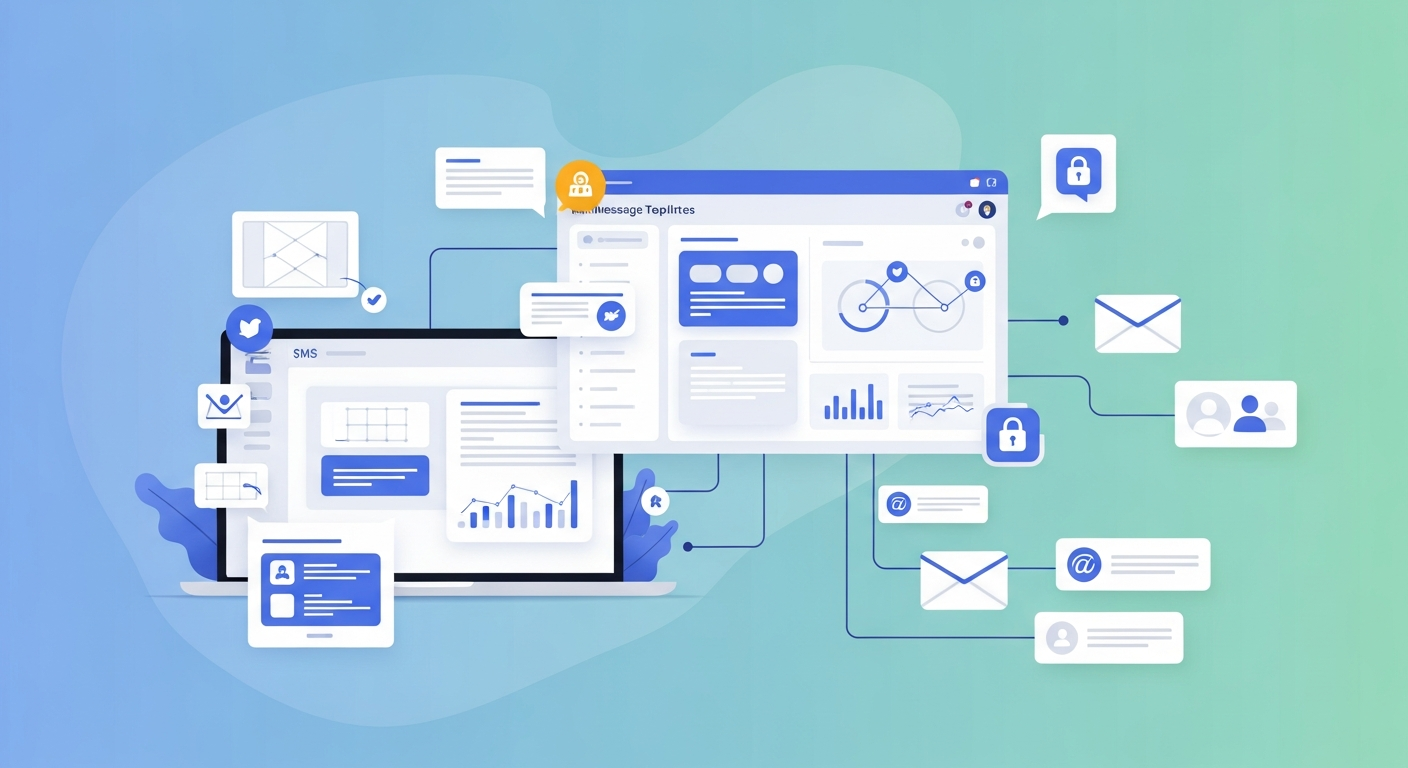
An enterprise messaging system is software that lets large organizations send secure, real-time messages internally and externally—across teams, customers, and devices. The best platforms combine internal business messaging tools, scalable architecture, and customer-facing channels like marketing and promotional SMS templates to keep communication fast, organized, and compliant.
Communication problems cost businesses real money. Teams lose hours hunting through email threads, customers wait too long for updates, and important messages slip through the cracks. An enterprise messaging system solves these issues by centralizing how your organization talks—both inside the company and out.
This guide breaks down what an enterprise messaging platform actually does, the features that matter most, and how to pick the right solution for your team. You’ll also get ready-to-use marketing and promotional SMS templates you can adapt for your own campaigns. Whether you run a 50-person startup or a global enterprise, the goal is the same: clearer communication that scales with you.
Let’s get into it.
What is an enterprise messaging system?
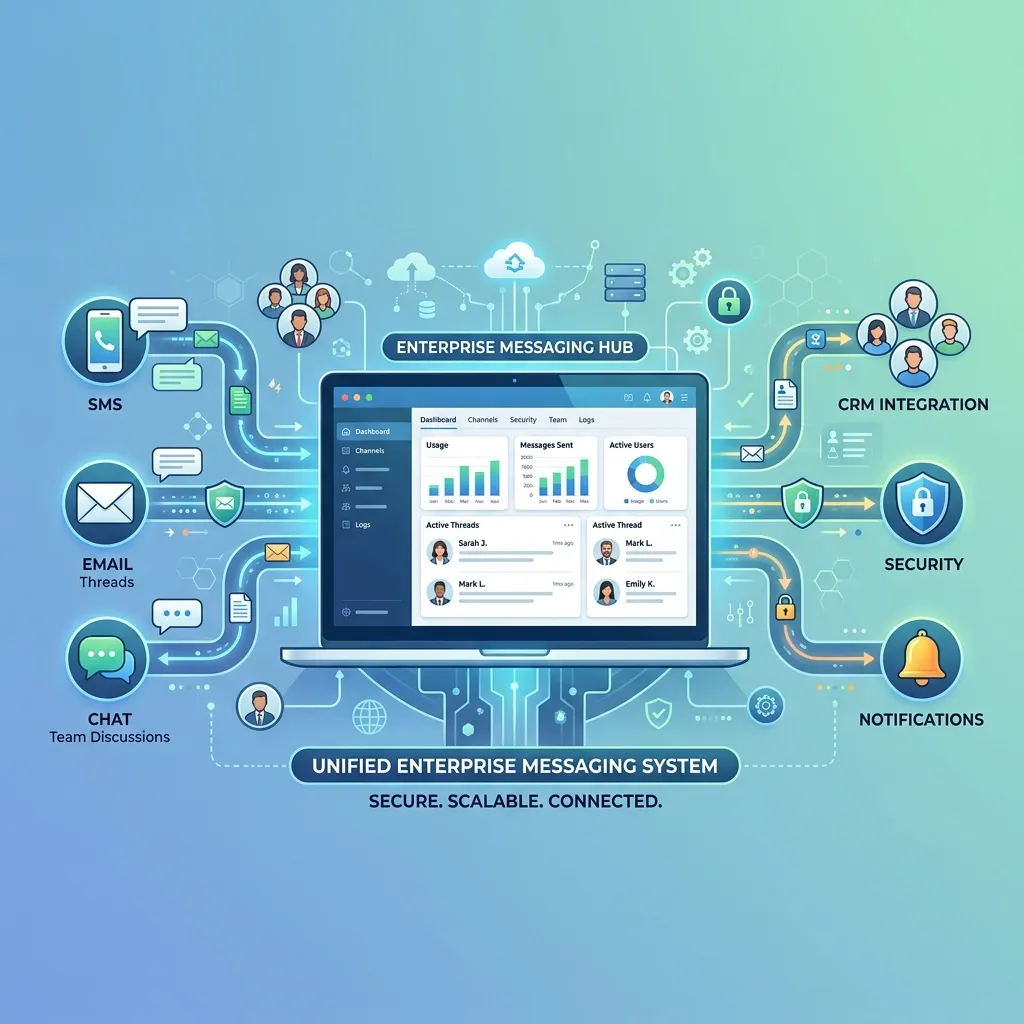
An enterprise messaging system is business messaging system software designed to handle communication at scale. Unlike a basic chat app, it supports thousands of users, integrates with your existing tools, and meets strict security standards.
These platforms typically cover two areas. First, internal communication—the messages, files, and updates your employees share every day. Second, external communication—the texts, alerts, and promotions you send to customers. The strongest enterprise instant messaging solutions handle both without forcing you to juggle separate tools.
Think of it as the central nervous system for your company’s conversations. When a sales rep needs to loop in support, when HR sends a company-wide announcement, or when marketing pushes a flash sale to 10,000 customers, the enterprise messaging platform makes it happen quickly and reliably.
Why businesses need a corporate messaging system for teams
Email alone can’t keep up with modern work. According to research from McKinsey, employees spend roughly 28% of their workweek managing email. A dedicated corporate messaging system for teams cuts that burden by moving quick conversations into faster, more organized channels.
Here’s what a strong system delivers:
- Speed: Real-time messaging means questions get answered in seconds, not hours.
- Organization: Channels, threads, and search keep conversations findable instead of buried.
- Security: Enterprise-grade encryption protects sensitive company and customer data.
- Scale: The platform grows with you, from a handful of users to thousands.
- Integration: Connections to your CRM, project tools, and other software reduce app-switching.
The payoff is measurable. Teams that adopt internal business messaging tools often report faster decision-making and fewer dropped tasks—simply because the right people see the right information at the right time.
What are the key enterprise communication platform features to look for?
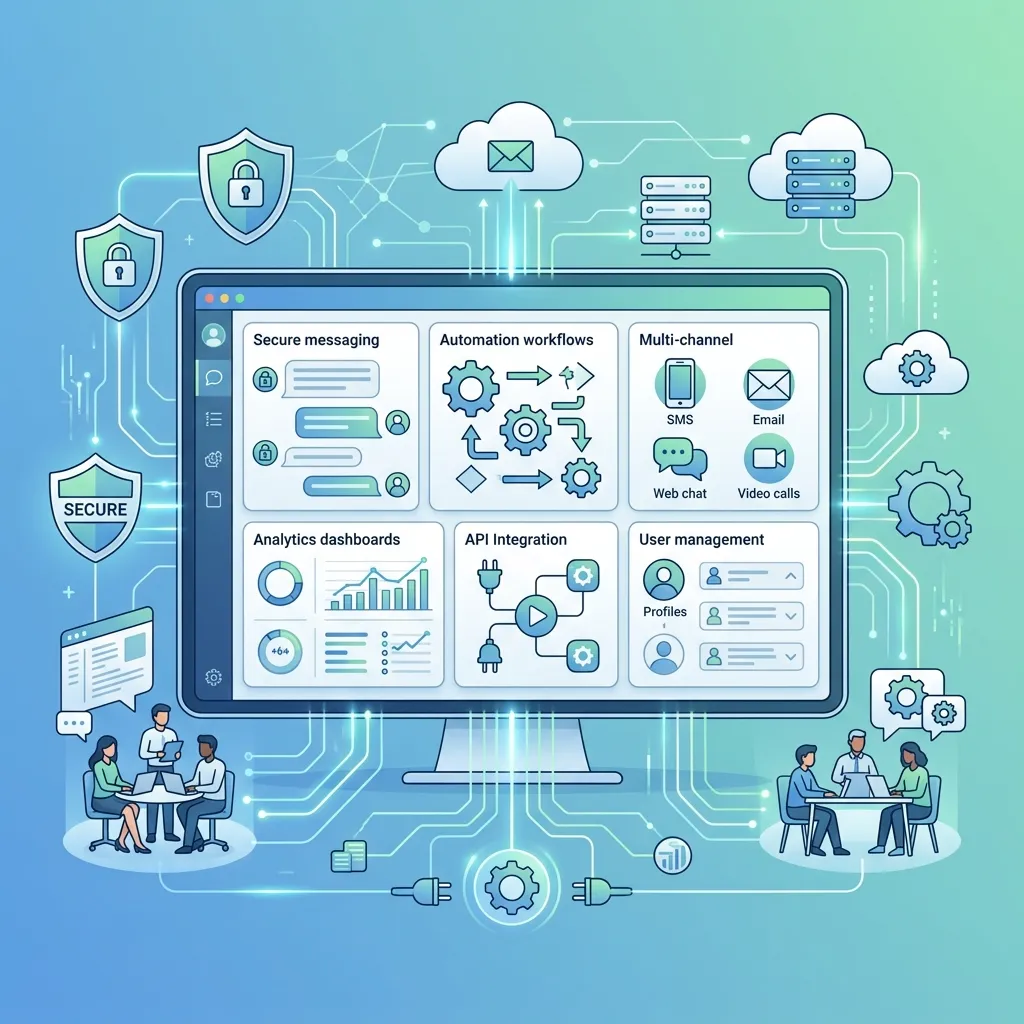
Not all platforms are built the same. When you compare options, focus on the features that affect daily use and long-term growth.
Security and compliance
A secure enterprise communication system should offer end-to-end encryption, role-based access controls, and compliance certifications relevant to your industry—think HIPAA for healthcare or SOC 2 for tech. If your business handles customer data, this is non-negotiable.
Real-time messaging and reliability
Real-time enterprise messaging software needs to deliver messages instantly, even during peak load. Look for uptime guarantees (99.9% or higher) and infrastructure that can handle spikes without lag.
Scalability
A scalable messaging system for businesses should add users, channels, and message volume without slowing down. Cloud-based architecture usually handles this better than on-premise setups.
Integrations
Your messaging tool shouldn’t live on an island. The best enterprise communication platform features include native integrations with CRMs, help desks, calendars, and automation tools.
Multi-channel support
Modern communication isn’t just chat. The strongest platforms combine internal messaging with SMS, email, and push notifications—so you can reach employees and customers wherever they are.
Administration and analytics
Admins need control. Look for dashboards that track usage, message delivery rates, and team activity, plus tools to manage permissions across the organization.
Cloud-based vs. on-premise enterprise messaging solutions
One of the biggest decisions is where your messaging system lives. Cloud-based enterprise messaging solutions run on the provider’s servers, while on-premise systems run on your own hardware.
Choose cloud-based if you want fast setup, automatic updates, and easy scaling without managing infrastructure. This suits most businesses, especially those growing quickly or supporting remote teams.
Choose on-premise if your industry demands total control over data location, or if strict regulations require it. This option costs more upfront and needs an internal IT team to maintain.
For the majority of companies, cloud-based wins on flexibility and cost. You pay a predictable subscription, skip the hardware headaches, and let the provider handle security patches and uptime.
Marketing and promotional SMS templates you can use today

Customer-facing messaging deserves the same care as internal communication. SMS in particular gets results—text messages have an open rate above 90%, far higher than email. The catch? Your messages need to be clear, timely, and respectful of the customer’s inbox.
Below are marketing and promotional SMS templates you can adapt for your own enterprise messaging system. Keep each message under 160 characters where possible, always identify your brand, and include an opt-out option to stay compliant.
Flash sale template
[Brand]: Flash sale! Get 30% off everything for the next 24 hours. Shop now: [link]. Reply STOP to opt out.
New product launch template
[Brand]: Just dropped! Meet [Product Name], now available online. Be the first to grab yours: [link]. Reply STOP to unsubscribe.
Abandoned cart template
[Brand]: You left something behind! Complete your order in the next hour and save 10% with code SAVE10: [link]. Reply STOP to opt out.
Appointment reminder template
[Brand]: Reminder—your appointment is tomorrow at [time]. Need to reschedule? Call [number] or reply here. Reply STOP to opt out.
Loyalty reward template
[Brand]: Thanks for being a VIP! Here’s an exclusive 20% off your next order: [code]. Valid through [date]. Reply STOP to unsubscribe.
Event invitation template
[Brand]: You’re invited! Join us for [Event] on [date]. Reserve your spot: [link]. Hope to see you there! Reply STOP to opt out.
Seasonal greeting template
[Brand]: Happy Holidays from our team to you! Enjoy 25% off as our gift. Shop now: [link]. Reply STOP to unsubscribe.
The best results come from personalization. Use the customer’s name, reference past purchases, and time your sends around their behavior—not just your calendar. A solid enterprise messaging platform lets you automate these templates at scale while keeping each message feeling personal.
How to choose the right enterprise messaging platform
With dozens of options on the market, the choice can feel overwhelming. Narrow it down by matching the platform to your actual needs.
Start by listing your must-haves. Do you need internal chat, customer SMS, or both? How many users will you support this year—and in three years? What compliance standards apply to your industry?
Next, test before you commit. Most providers offer free trials. Use that time to check ease of setup, message reliability, and how well the tool fits your existing workflow.
Finally, weigh total cost. Look beyond the monthly price to factor in setup fees, per-message charges for SMS, and the cost of any add-ons. The cheapest option rarely wins if it can’t scale with you.
Choose a platform with strong internal business messaging tools if your priority is team collaboration. Pick one with robust SMS and marketing features if customer outreach drives your revenue. The ideal solution usually does both well.
Bringing it all together
An enterprise messaging system is no longer a nice-to-have—it’s the backbone of how modern organizations communicate. The right enterprise messaging platform speeds up internal collaboration, protects sensitive data, and gives you powerful tools to reach customers through channels like SMS.
Your next step is simple. Audit how your team communicates today, list the gaps, and shortlist two or three platforms that fill them. Take advantage of free trials, put the marketing and promotional SMS templates above to work, and measure the results.
Better communication compounds over time. Start now, and you’ll build a foundation that supports your team and your customers for years to come.
Frequently asked questions
What is the difference between an enterprise messaging system and a regular chat app?
An enterprise messaging system supports large-scale use with advanced security, compliance certifications, admin controls, and integrations. A regular chat app is built for casual or small-group use and lacks the scalability and protection businesses need.
How much does a business messaging system software cost?
Costs vary widely based on features and user count. Many cloud-based enterprise messaging solutions start around $5 to $15 per user per month, with SMS often priced per message sent. On-premise systems carry higher upfront costs for hardware and maintenance.
Are marketing and promotional SMS templates legal to use?
Yes, but you must follow regulations like the TCPA in the U.S. This means getting customer consent before texting, identifying your brand in each message, and including a clear opt-out option such as “Reply STOP to unsubscribe.”
What makes a messaging system “secure” for enterprise use?
A secure enterprise communication system uses end-to-end encryption, role-based access controls, and meets compliance standards like SOC 2 or HIPAA. These features protect both internal data and customer information from unauthorized access.
Can a small business use an enterprise messaging platform?
Absolutely. Many scalable messaging systems for businesses offer tiered plans that fit smaller teams. Starting with an enterprise-grade platform early means you won’t need to switch tools as your company grows.
What are Enterprise Messaging Systems?
Enterprise Messaging Systems are communication platforms designed for large organizations to manage secure, real-time messaging across internal teams and external customers at scale.
How do Enterprise Messaging Systems improve business communication?
Enterprise Messaging Systems streamline communication by centralizing messages, reducing delays, and ensuring teams and customers receive updates instantly across multiple channels.
What features should I look for in Enterprise Messaging Systems?
Key features include real-time messaging, encryption, compliance support, SMS integration, scalability, analytics, and integration with business tools like CRM and help desks.
Are Enterprise Messaging Systems secure for business use?
Yes, most Enterprise Messaging Systems offer end-to-end encryption, role-based access, and compliance certifications like SOC 2 or HIPAA to protect sensitive data.
Can small businesses use Enterprise Messaging Systems?
Yes, many Enterprise Messaging Systems offer scalable pricing plans that make them suitable for small businesses while allowing future growth.
How do Enterprise Messaging Systems support marketing campaigns?
Enterprise Messaging Systems often include SMS and automation tools that allow businesses to send promotional messages, alerts, and customer updates efficiently.
What is the difference between Enterprise Messaging Systems and regular chat apps?
Unlike basic chat apps, Enterprise Messaging Systems are built for scalability, security, compliance, and integration with business operations and customer communication tools.
How much do Enterprise Messaging Systems cost?
The cost of Enterprise Messaging Systems typically ranges from affordable per-user monthly plans to custom enterprise pricing depending on features and message volume.
Can Enterprise Messaging Systems integrate with other tools?
Yes, most Enterprise Messaging Systems integrate with CRMs, marketing platforms, help desks, and automation tools to improve workflow efficiency.
Why are Enterprise Messaging Systems important for modern businesses?
Enterprise Messaging Systems are essential because they improve communication speed, reduce operational delays, and help organizations manage both internal and customer messaging at scale.
